04 Nov 2026 Blogs
Here’s a number that should bother you: According to Adobe’s Future of Time research, the average hybrid employee loses roughly five hours every week troubleshooting tech issues, waiting for network access, or working around broken digital tools. Yes, five hours. That’s half a workday, gone, every single week, just on friction nobody budgeted for.
There are solid reasons why businesses are moving towards RDP Hosting. Running a remote team looks easy on a slide deck. In practice, it’s chaotic. People log in from three different cities on three different networks using laptops that range from brand new to barely functional. One employee’s machine can handle heavy accounting software without breaking a sweat. Another’s can’t open a spreadsheet without freezing. And somewhere in between, files get saved locally, backups get forgotten, and a laptop theft turns into a genuine crisis.
Buy RDP Server and all of this will get fixed in one shot. It gives employees a centralised Windows desktop they can log into from almost any device. No more hoping everyone remembers to back things up. Everyone works inside the same controlled, secure environment, whether they’re running accounting software, a shared database, or anything else that eats up processing power.
RDP Hosting or an RDP Server, is a service that allows its users to access a remotely hosted Windows desktop or server through the RDP or Remote Desktop Protocol. Using this server, employees run applications, pull business data, and work from a centrally managed environment without depending on whatever hardware happens to be sitting on their desk at home.
Here’s a quick note for you: the real ROI from Remote Desktop Hosting doesn’t come from the monthly savings alone. It comes from fewer disruptions, fewer security scares, and an IT team that isn’t firefighting all day. That’s the kind of return that compounds over years.
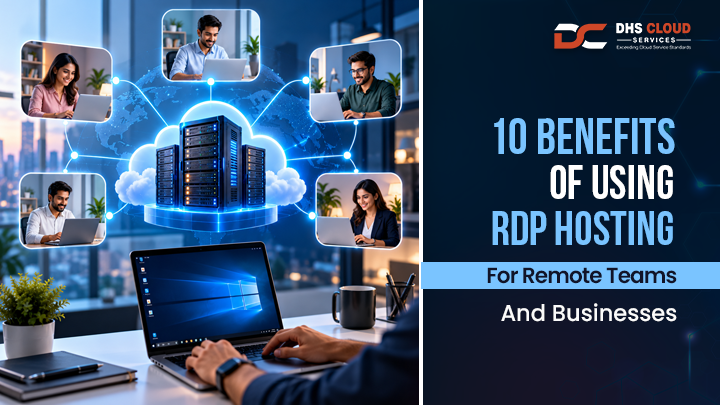
RDP hosting does offer a lot of features that remote teams and businesses appreciate. The top 10 of them are as follows.
This is the obvious one but it’s worth saying plainly: your team can log in from a laptop at home, a desktop at a client’s office, or a tablet in an airport lounge. Doesn’t matter where they are, as long as the device can run a remote connection. Someone travelling for a week shouldn’t lose a week of productivity. All they really need is a decent internet connection and solid login security. That’s it.
Here’s something a lot of IT managers learn the hard way: you don’t need to buy everyone a powerhouse laptop. The processing happens on the server and not on the local machine. So a 3 year old laptop with modest specs can still run accounting software, CRM platforms, ERP systems, even development environments without any much trouble. Actual speed still comes down to how the server itself is configured and what the application demands. Don’t expect miracles from an underpowered server just because RDP is there.
Scattered data is a liability. When files sit on five different laptops instead of one managed server, you’ve got five different points of failure. RDP Hosting keeps everything inside a single, controlled environment which cuts the risk and makes administration more simple. For businesses having sensitive financial or operational records, this one benefit alone can justify the switch.
Multiple employees, one shared server, individual sessions. That’s the setup and it works. Finance, operations, and admin teams stop emailing spreadsheets back and forth and start working from the same source of truth. Accounts, permissions, and session controls keep things from turning into chaos. How many people can work simultaneously? It depends entirely on your server configuration, your licensing, and what applications are involved.
Nobody wants to drop five figures on laptops every two years just to keep up with software demands. Remote Desktop Hosting shifts this load to the server side which means your hardware budget stops ballooning every time you hire. You trade big upfront costs for predictable monthly ones. It’s a lot easier to plan a budget around a fixed line item than around surprise hardware failures. Total savings still depend on your hosting, licensing, and support costs though so run the numbers for your own setup before assuming you’ll save a fortune.
RDP has a reputation problem and it’s partly earned. Poorly configured RDP servers exposed directly to the public internet have been a favourite entry point for ransomware attacks for years. That’s not fear-mongering, that’s a documented pattern across the industry. According to the Sophos Active Adversary Report, external remote services like RDP served as the initial entry point for 65% of all network breaches handled by their incident response team.
The fix isn’t avoiding RDP altogether. It’s configuring it properly. That means:
A hosted server being in the cloud doesn’t automatically make it secure. Businesses should avoid exposing RDP directly and instead route access through secure gateways or VPN connections. When done right, centralised management can actually give your IT team more visibility than a dozen scattered laptops ever could.
Hiring five new people shouldn’t mean five new desktop purchases and a scramble to set up hardware. With RDP Hosting, you usually just upgrade the server, more RAM, more CPU, more storage, as needed. Startups especially benefit here, since overinvesting in infrastructure before you know your real usage patterns is one of the easiest ways to waste early-stage capital. Just make sure your provider actually offers flexible upgrades and isn’t going to lock you into a rigid plan.
Things go wrong. Power cuts, floods, a sudden office move, or an employee’s laptop dying mid-project. A hosted remote desktop environment keeps the business running when the physical office can’t. Look closely at a provider’s uptime commitments, their monitoring setup, and whether they run redundant systems.
And here’s a distinction people often miss: server availability and data recoverability are not the same thing. A server being “up” means nothing if your backups haven’t actually been tested.
Buy RDP Server but be conscious of the provider’s real uptime SLA. Anybody can put a guarantee but not all of them can withstand that.
Managing software updates across a dozen individual laptops is tedious work and it’s exactly the kind of task that eats an IT team’s week without anyone noticing. Remote Desktop Server centralises all of it including updates, permissions, and configurations in one place.
Onboarding a new hire becomes a non-event instead of a half-day setup project. Offboarding becomes equally painless which matters more than people realise when it comes to protecting company data after someone leaves. Centralised technical support stops being a luxury and starts being the thing that actually saves your team’s sanity.
Accounting, customer support, admin, software development, back-office work, it doesn’t matter which department you’re looking at. RDP Hosting gives every team consistent access to the same tools and the same environment, regardless of where people are sitting. For SMEs and startups running hybrid or fully remote setups, this kind of consistency isn’t a nice to have anymore. It’s a must have.
|
Parameter |
RDP Hosting |
VPN |
Standard Cloud VPS |
|
Primary purpose |
Remote desktop access |
Secure network connectivity |
Virtual server infrastructure |
|
Desktop environment |
Available when configured |
Not provided by itself |
Requires desktop configuration |
|
Application access |
Through remote sessions |
Depends on connected network resources |
Depends on installed software |
|
Centralised management |
Yes |
Not inherently |
Yes, with administration |
|
Hardware dependency |
Lower on client devices |
Depends on accessed applications |
Depends on access method |
Simple way to think about it:
These aren’t rivals fighting for the same job. More often than not, they work best stacked together.
Don’t sign up with the first provider that shows up in search results. Go through this list first:
One practical tip that saves people a lot of regret: ask for a trial or a live performance demo before signing a long-term contract. A sales call tells you what a provider wants you to hear. A demo tells you what you’re actually getting.
We’ve spent over 10 years in cloud infrastructure and that time has taught us one thing clearly: businesses don’t just want uptime numbers on a brochure, they want a provider who actually answers the phone when something breaks.
Our team is AWS-certified, our uptime commitment sits at 99.9%, and our backups run twice daily with disaster recovery built in. Security isn’t an add-on package either. Encryption, firewall and antivirus protection, and two-factor authentication come standard across our RDP hosting. When you need remote access support, our technical team is actually reachable.
If you want a remote working setup that won’t let you down at the worst possible moment, then you can talk to our cloud experts about your specific user and hosting requirements.
Book A Free Cloud Hosting Consulation
RDP Hosting gives you access to a remote Windows desktop or server through the Remote Desktop Protocol. You log in from your own device and work exactly as if you were sitting in front of that remote machine.
Remote access from anywhere, lower hardware spending, centralised data, stronger security, and the ability to scale as your team grows.
Only if it’s set up correctly, with MFA, firewalls, encryption, and no direct public exposure. Cloud hosting alone doesn’t make RDP secure.
An RDP Server gives you a ready-to-use remote desktop. A VPS gives you raw virtual server resources that can be configured to support RDP if needed.
Yes, depending on how the server is configured, licensed, and which applications are running, multiple users can work through separate sessions.
Yes. The server handles the heavy processing, so even an older, modest laptop can run demanding business applications without trouble.
They solve different problems, so it’s not really a competition. RDP gives you a remote desktop, a VPN secures your network connection. Plenty of businesses use both.
Server resources, uptime SLA, security setup, scalability options, backup policy, support responsiveness, and licensing requirements.
It depends on your workload. Light office tasks need less. Accounting software, CRMs, or dev tools need noticeably more RAM and CPU.
Yes. It’s commonly used to run accounting software, CRM systems, ERP platforms, and other business-critical applications remotely.