23 Jan 2026 Blogs
The world of work has shifted significantly towards the acceptance of remote and hybrid work models; thus, not only secure but also centralized and scalable access to IT resources has become a critical requirement. No matter where the worker is, which device he/she is using, or what network they are on, now employees, administrators, and developers all want to have the same access to applications and desktops.
This change has amplified the role of technology in allowing remote access with no compromise on performance or security. Windows Server’s Remote Desktop Services (RDS) provide a brilliant solution for this virtual issue, as they enable users to connect to the central systems through RDP servers and RDP services.
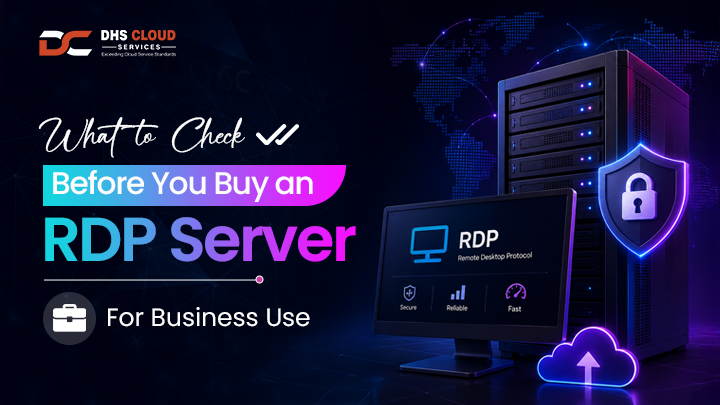
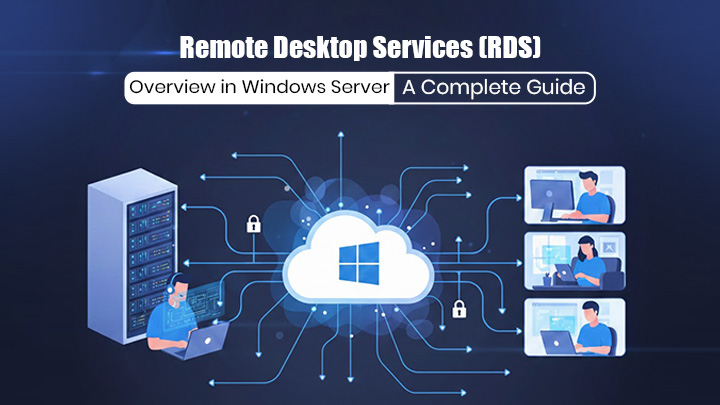
Remote Desktop Services is a Windows Server feature that allows multiple people to access the server's desktop and applications. It is built on Microsoft’s Remote Desktop Protocol (RDP), which guarantees secure data transfer between the client device and the remote computer.
A Windows RDP server allows users to log in and run programs just as if they were on their local computers, although all the work and data are on the server. Unlike remote desktop connections for single-user administration that are simple, RDS is designed for multi-user environments; thus, it is suitable for companies, service providers, and organizations with scattered teams around the world.
RDS is often used in cases such as supporting remote workers, delivering applications through a central point, IT management, granting secure access to internal systems that are hidden from the network, etc.
The Remote Desktop Session Host is the central component where the user sessions reside. The server can be accessed by several users at the same time, and every session is isolated for security and stability reasons.
The Connection Broker is responsible for managing user connections, distributing the load, and reconnecting sessions. In a situation with multiple RDP servers, Connection Broker makes sure that users are connected to the appropriate session host, which in turn helps to increase performance and availability.
Remote Desktop Gateway is a component that provides a secure channel to access RDP servers via HTTPS. This feature is particularly advantageous for external users as it enables them to connect remotely without the need to get direct VPN access to the internal network first.
RDS licensing is strictly regulated by Client Access Licenses (CALs) that are issued for every user or device accessing the RDS, and thus verifying compliance. The licensing manages the number of concurrent users within the RDS environment in accordance with the law; not only does it allow users, but it also sets a limit based on the scale that is legally allowed.
In a usual enterprise configuration, the users first connect to the RDP server using the RDP client on their devices. The request goes through a process of authentication, authorization, and routing to a free RDP server. The user, after connecting, interacts with the virtual desktop or application, but all the data processing happens on the server.
It is a centralized model that ensures data security, as no sensitive data ever goes out of the server environment. IT departments are provided with an easier way to carry out updates, patching, and monitoring, while the users are assured of uniform performance across devices.
RDP services that are well-configured can also control the use of bandwidth and allow very high concurrency without causing any degradation.
On-premise deployments require significant upfront investment in hardware, storage, and networking. While they offer direct control, scaling capacity, or implementing disaster recovery can be complex and costly.
Cloud RDP environments host Windows RDP servers on cloud infrastructure, allowing organizations to scale resources on demand. Cloud-based deployments reduce capital expenditure, simplify maintenance, and enable global access with minimal latency.
A cloud-based RDP system plus a dependable cloud server hosting service can give organizations the flexibility they require without the intricacies of the underlying infrastructure.
Such a setup would result in a performance that is predictable, scalability that is easy to get, and resilience in operations that is very reliable.
Cloud RDP solutions typically outperform on-premise setups in scalability, availability, and flexibility. They also integrate more easily with modern security frameworks and identity management systems.
Quick deployment, elastic scalability, and redundancy are some of the features that come with RDP servers that are hosted in the cloud. Organizations are able to provision new users or applications in minutes, not weeks. High availability and automated backups improve business continuity, while the centralized management leads to reduced operational overhead.
DHS Cloud Services is the choice of many organizations to deploy and manage a secure RDP that is compliant and has high-performance, thus meeting strict requirements. With the expert implementation, proactive monitoring, and continuous support, businesses can rely on remote access without the operational burden of managing a complex infrastructure in-house.
Selecting the best RDP server depends on several factors, including performance requirements, number of concurrent users, security compliance, and integration with existing systems. Organizations should evaluate whether on-premise or cloud deployment aligns better with their growth strategy.
Partnering with a reliable cloud services company can significantly simplify design, deployment, and long-term management, ensuring that the RDP environment remains scalable and secure as business needs evolve.
Managed cloud server hosting services take responsibility for infrastructure maintenance, monitoring, backups, and updates. This approach reduces internal IT workload and ensures consistent performance and security.
Providers like DHS Cloud Services offer managed hosting solutions designed specifically for RDP environments, allowing organizations to focus on core operations while benefiting from reliable, enterprise-grade remote access.
Windows Server Remote Desktop Services continue to be the mainstay of today's IT infrastructure, allowing apps and desktops to be accessed remotely and securely in an efficient manner. Organizations of all kinds can benefit from RDS since it can be deployed on-premise or through secured cloud-based RDP servers, because it offers the needed flexibility, scalability, and control.
A better understanding of RDS architecture, security best practices, and deployment models will lead to better decision-making that supports long-term growth for businesses. Cloud-enabled RDP solutions, along with professional service providers, are considered the most modern way of remote access that perfectly balances performance, security, and operational efficiency.