25 Jun 2026 Blogs
With the increasing adoption of remote work, cloud computing, and digital transformation, businesses need secure remote access to their business applications and data. Organizations need solutions that allow their employees to work from anywhere and remain productive, secure, and in control of operations. That's where a Windows RDP server comes in handy for your business.
From managing a distributed workforce to hosting business applications, knowing how a Windows RDP environment works can help you make informed technology decisions. DHS Cloud Services offers enterprise-grade Windows RDP hosting solutions, allowing businesses to securely access desktops, applications, and files from anywhere in the world.
Our infrastructure is built on Tier 3 data centres and supported by a 99.9% uptime SLA, which guarantees users can access business-critical systems whenever they need.
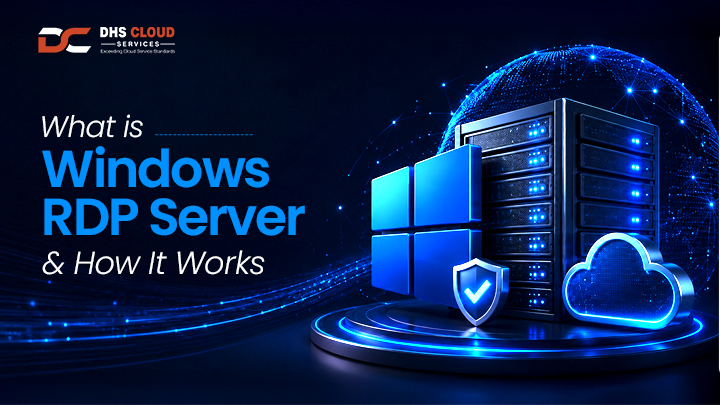
A Windows RDP server is a Windows-based server that allows you to remotely access a desktop environment, applications, files, and system resources via the internet or a private network.
RDP is an acronym for Remote Desktop Protocol, a technology developed by Microsoft that allows users to connect to a remote computer or server. When connected, users can interact with the remote system as if they are sitting directly in front of it.
Instead of storing applications and data on individual devices, businesses can store everything on a Windows RDP server and then authorize users to remotely access it from a laptop, desktop, tablet, or other device.
This approach improves flexibility, simplifies IT management, and enhances data security.
To understand how a Windows RDP server works, it is important to understand remote desktop services.
Remote desktop services enable users to create secure connections to centralized computing resources that are hosted on remote servers. Users don't run applications locally but use applications and desktops hosted on a server located in a data centre.
When a user logs in through the Remote Desktop Protocol:
All computing tasks are done on the server.
Only screen updates, mouse movements, and keyboard inputs are transmitted.
Applications run directly on the server.
Data remains stored securely in the hosting environment.
This also decreases the reliance on powerful local hardware and ensures a uniform user experience across devices.
A Windows RDP server has a centralized system that is designed to provide secure remote access.
The process starts with the user launching a Remote Desktop client on their device and entering the credentials provided by the hosting environment.
Access is granted after the RDP connection is authenticated and encrypted. When it is connected, the user will be able to see the full Windows desktop environment hosted on the remote server.
All applications, files, and settings remain on the server itself. The user simply interacts with the remote environment via the internet.
Because the processing happens on the server, even the most modest hardware can be used to run heavy applications.
This is one of the main reasons why businesses choose professional Windows RDP hosting solutions.
There are several important components to a complete Windows RDP environment.
The first is the Windows Server operating system, which is the foundation for hosting user sessions and applications.
The second one is Remote Desktop Services, which controls user connections and access permissions.
Hosting infrastructure, which consists of processors, storage, networking, and security systems, makes up the third component.
At DHS Cloud Services, our Windows RDP hosting environment runs on SSD-powered servers and High Availability (HA) infrastructure, providing reliable performance and stability.
These elements combine to form a secure and scalable solution for remote work.
Flexibility is one of the key reasons why businesses use Windows RDP hosting.
Employees have access to their full work environment from anywhere. Users have the same experience and access to resources, whether working from home, traveling, or operating from multiple offices.
This centralized approach also makes software deployment easier. Applications only need to be installed and maintained on the server, not on individual devices.
There's data security as well, because files are not saved on local systems, but on the hosted environment.
These benefits make Windows RDP hosting a very popular solution for businesses of all sizes.
The performance of a remote desktop environment depends a lot on the infrastructure behind it. Choosing the best RDP server ensures that users experience smooth performance, minimal latency, and reliable access.
A high-quality RDP environment should provide:
Fast processing speeds
Stable network connectivity
Secure user authentication
Data encryption
Reliable uptime
Scalable resources
Unoptimized servers can cause slowdowns, disconnections, and decreased productivity.
This is the reason why companies should work with an experienced RDP service provider that can provide enterprise-grade infrastructure and support.
Businesses in various industries use Windows RDP environments for their daily operations.
Accounting firms use remote desktop environments to securely access financial software.
Healthcare providers use hosted applications to manage patient information while maintaining data security.
Centralized desktops help educational institutions in providing remote learning and administrative support.
Marketing agencies, legal firms, consulting companies, and manufacturing organizations also use remote desktop services to ensure secure access to critical business applications.
A Windows RDP server is versatile enough to be used by practically any organization that needs secure remote access.
DHS Cloud Services offers secure and high-performance Windows RDP hosting solutions to meet the demands of modern businesses.
Our infrastructure is hosted within Tier 3 data centres and supported by High Availability environments that minimize downtime and provide consistent service delivery.
With a 99.9% uptime SLA and quick technical support, businesses can confidently run critical applications, access files remotely, and maintain security and performance standards for distributed teams.
From a secure Windows RDP server, advanced remote desktop services, to the best RDP server environment for your organization, DHS Cloud Services offers the expertise and infrastructure your business needs.
Partner with us today and experience enterprise-grade remote desktop solutions built for performance and reliability.
An RDP host is a computer or server that allows users to access it remotely through Remote Desktop Protocol. It is commonly used in remote desktop services and windows rdp hosting environments.
To connect to an RDP host, open Remote Desktop Connection, enter the server IP address, and log in using your credentials. Most rdp server hosting providers share these details after setup. DHS Cloud Services also provides quick setup assistance to help users get connected without hassle.
Setting up a windows rdp server involves installing the operating system, enabling remote access, configuring security settings, and allowing remote desktop connections.
With windows rdp hosting, you can securely access your remote desktop from any location using an internet connection and Remote Desktop software.
To host Windows RDP, you need a windows rdp server with remote access enabled. Many businesses choose a managed remote desktop hosting service to simplify setup and maintenance. DHS Cloud Services offers secure and reliable windows rdp hosting solutions for businesses and remote teams.
When you buy an RDP server for Windows, you get secure remote access, dedicated resources, and the flexibility to work from anywhere. DHS Cloud Services offers reliable windows rdp hosting with fast deployment, strong security, and responsive technical support.
A good RDP can be purchased from a trusted rdp server hosting provider that offers reliable performance, strong security, and responsive support. DHS Cloud Services provides secure windows rdp hosting solutions designed for businesses, professionals, and remote teams.
The best RDP is one that offers fast performance, stable connectivity, strong security, and reliable support. If you're looking for a dependable windows rdp server, DHS Cloud Services provides scalable rdp server hosting solutions to meet different business needs.