27 Jan 2026 Blogs
The rapid growth of e-commerce and online services has made the need for remote access solutions that are both efficient and secure a primary concern in the digital world. It is to a great extent that people and businesses utilize remote desktop technologies as the main source of maximizing productivity, creating flexible workplaces, and having IT management done without hassle. Of all those tools, the Remote Desktop Protocol (RDP) is certainly one of the most important ones for easy and uninterrupted remote access.
In this blog post, we will thoroughly examine the subject of RDP, including its definition, functionality, major characteristics, and necessary security precautions for safe application, all the while comparing the merits of Windows RDP server, cloud RDP, and related services.
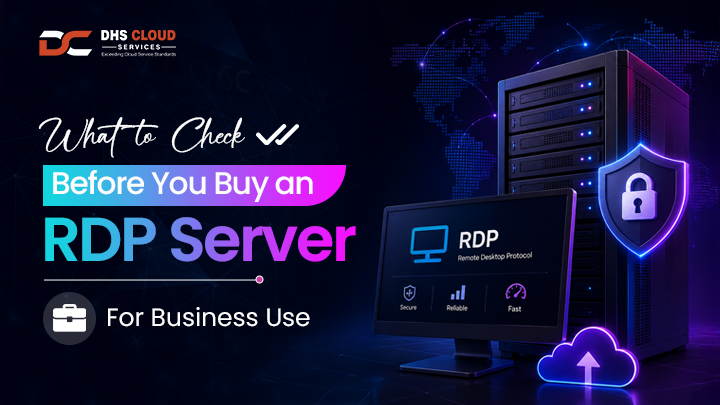
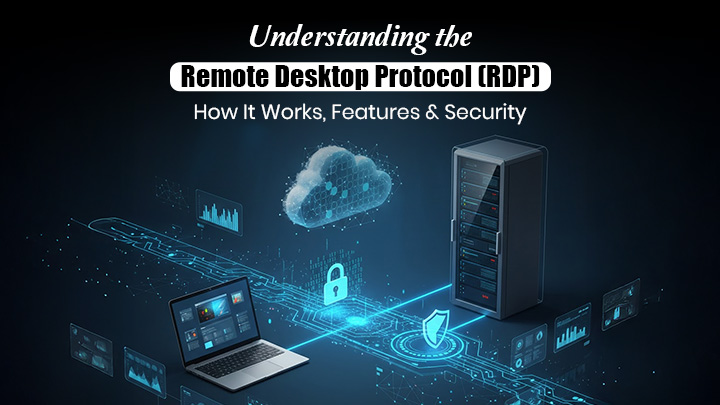
RDP stands for Remote Desktop Protocol, which is a proprietary protocol created by Microsoft that gives users the ability to connect remotely to another computer via a network link. It transfers the visual interface of the distant machine to the client device, and the client's input is sent back, allowing users to control the remote PC just like they were onsite.
RDP has come a long way and is now a major technology for remote working arrangements, IT technical help, and server control. RDP is a versatile solution that accommodates a wide range of applications, whether it is for personal desktop, corporate server, or cloud infrastructure access.
RDP fundamentally creates a virtual session connecting a client and a server. In the case of a Windows RDP server, the server creates a communication channel on a particular port (the default port is 3389) and stands by for connections. The server initially verifies the username and password of the user, and afterwards, the screen, sound, and all other interface elements are sent to the client’s device after the user has been authenticated. Meanwhile, the client device transmits keyboard presses, mouse movements, and commands to the server. This bidirectional communication happens at the same time, thereby the remote session smooth and responsive.
These capabilities are critical benchmarks when evaluating the best RDP server for business or enterprise use.
1. Outstanding Performance and Responsiveness
RDP manages the traffic between the user’s computer and the server in such a way that it reduces the waiting time. Users' remote desktop sessions are smooth and almost as good as local use through the use of methods such as caching, compression, and smart rendering.
2. Multi-Session Support
Present-day RDP servers not only allow but also support the connection of several users at the same time, where each user enjoys an independent session. This is one of the main reasons why cloud server hosting services are so popular among companies that require a large number of remote accesses that can be scaled according to the number of employees or clients.
3. Seamless Multimedia Experience
RDP is the technology that streamlines the transmission of audio and video; thus, the remote session's multimedia applications and presentations are, to a great extent, rendered viable and uninterrupted by the RDP technology. This is especially great for the areas of training, webinars, and, of course, collaborative work.
4. Printer and Device Redirection
Users can access local devices such as printers, USB drives, and clipboard contents during their remote sessions, enhancing workflow convenience.
5. Customizable Display Settings
Resolution and color depth can be adjusted dynamically to suit network conditions and device capabilities, ensuring the best possible visual experience.
Innovations in the areas of compression and bandwidth optimization have made it possible for RDP to work effectively over the slowest of internet connections. Also, the collaboration with cloud based hosting services has made cloud computing RDP more widely available. Thus, making a preferred deployment model for scalable RDP environments
Despite its many benefits, RDP has been a target for cyberattacks due to its network exposure. Ensuring secure access is critical to protect sensitive data and maintain system integrity.
Best Practices to Secure RDP Access:
Use strong authentication: Integrate multi-factor authentication (MFA) to enhance security through several layers.
Restrict network access: Allow RDP connections only from IP addresses that are trusted or utilize VPNs.
Change default ports: Not using the standard RDP port (3389) will lessen exposure.
Keep systems updated: Updating operating systems and RDP software continually through patching stops taking advantage of already known weaknesses.
Enable encryption: Secure data during transmission by applying Network Level Authentication (NLA) and making provision for encryption protocols.
Monitor RDP usage: Utilize logging and intrusion detection to quickly detect any unusual activities.
Cloud providers offering cloud services company solutions typically integrate advanced security measures to safeguard RDP sessions, providing peace of mind for clients.
DHS Cloud Services makes it a point to always win your trust via continuous performance, reliability, and service quality. Our secure and trustworthy cloud server hosting services are meant to accommodate the requirements of businesses, no matter their size and industry. If you want a fast, top-grade Windows RDP server or a flexible cloud RDP solution, we make sure that great performance is always backed by top-end security.
Our vast knowledge and experience in VPS server cloud services empower you to adjust your resources basing it completely on your business needs, either increasing or decreasing them. Along with having a dedicated tech support team and an expertly maintained infrastructure, we make it possible for you to enjoy uninterrupted productivity, and that too without sacrificing speed, stability, or data security.
The Remote Desktop Protocol still is the most important technology for remote access today, giving astonishingly high levels of comfort, flexibility, and control. Using RDP, regardless of the setting, whether it is an on-site or a cloud-based one, users can effectively perform their tasks from any location in the world.
Making the proper selection is essential for businesses aiming to deploy the best RDP server with optimal performance and security, whether a dedicated Windows RDP server, cloud RDP, or VPS server cloud services. This is a decision that can have a major effect on both performance and security.
Working with DHS Cloud Services will allow companies to get through the aforementioned options in a smooth manner, supported by expert advice and a strong infrastructure.