09 Jan 2026 Blogs
Growing businesses often face the challenge of applications being spread across multiple computers. This leads to version mismatches, security risks, and increased IT support needs. Managing updates and onboarding new employees becomes slow and inefficient.
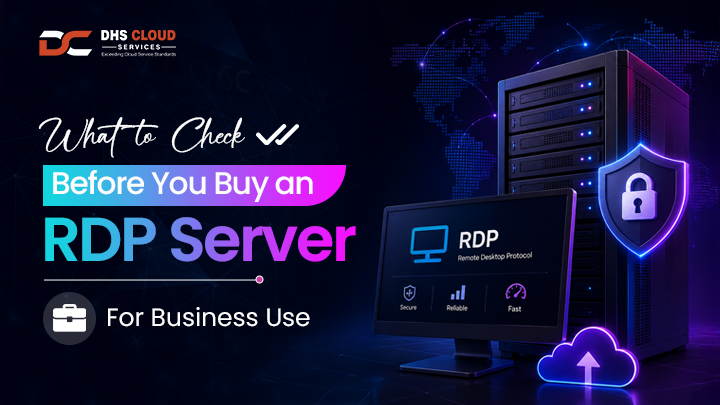
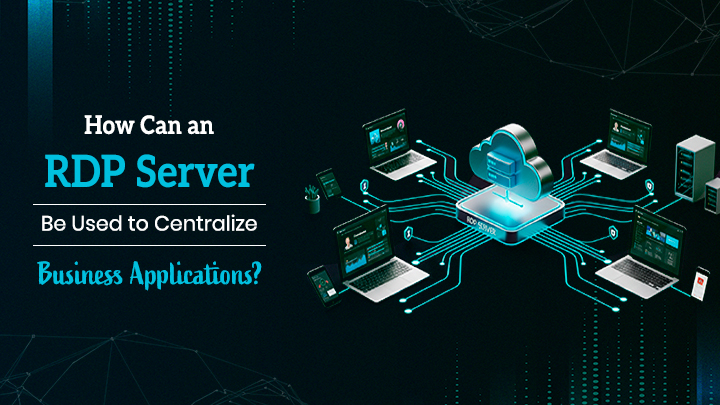
An RDP (Remote Desktop Protocol) server solves this problem by centralizing applications on a single, secure server. Software is installed and updated in one place, ensuring consistency and stronger security.
Employees can access the same business applications from anywhere, improving productivity. IT teams spend less time fixing individual devices and more time supporting business growth. Centralization also makes scaling users and applications much easier.
At DHS Cloud Services, we deliver customized RDP solutions designed for stability and ease of use. Our platform emphasizes secure access and centralized control. With expert management and scalable infrastructure, organizations can streamline operations while we handle the technical complexity.
Centralizing business applications means hosting all essential software in one central server or environment instead of installing it on individual employee devices. Users connect to these applications remotely, while the software, data, and configurations remain in a single controlled location. This approach ensures uniform access and keeps systems easier to manage.
By centralizing applications, businesses gain better oversight of performance, security, and usage. Updates, backups, and access controls are handled centrally, reducing errors. The result is a more organized IT environment that supports efficiency and long-term growth.
Running business applications on multiple devices can quickly become overwhelming. Inconsistent software versions, data scattered across systems, and IT bottlenecks slow down productivity and create security risks.
Using RDP to centralize applications brings everything together on a single server. Employees can access the same environment from anywhere and work seamlessly from any part of the world.
This centralized approach ensures that updates are applied once and instantly available to all users, reducing errors and saving time. With centralized data storage, businesses can maintain stronger security and better control over who accesses what. Want to know the benefits of centralizing business applications with RDP? Keep reading below:
Ever wondered why teams often face errors due to mismatched software? With a Windows cloud RDP, all applications are installed in one place and updated instantly for everyone. This ensures every employee works on the same version, eliminating compatibility issues.
RDP hosting makes collaboration seamless, reducing confusion and boosting overall efficiency. Teams no longer waste time troubleshooting version mismatches, and managers can easily track application usage across the organization. This consistency helps maintain smooth workflows and minimizes disruptions in day-to-day operations.
Centralizing applications means sensitive data stays on the server, not on individual devices. With an HA environment in a Tier 3 data center, businesses enjoy stronger security and protection against data loss. Role-based access controls allow admins to decide who sees what.
At DHS Cloud Services, our SLA certificates and on-time support with a TAT of 15 minutes ensure any security concerns are addressed promptly. Regular centralized backups and monitoring help prevent unauthorized access and reduce risks from hardware failures or accidental deletions. This level of security also supports compliance with industry standards and regulations.
Employees can log in to a remote desktop hosting environment from anywhere in the world. This flexibility allows teams to work efficiently without being tied to one location. Whether it’s from home, an office, or while traveling, everyone has access to the same tools and data, improving productivity and collaboration.
Teams can respond faster to client needs, and businesses can maintain continuity during unexpected disruptions, like travel delays or local outages. Remote access also supports flexible work policies, helping attract and retain talent.
Managing multiple devices can be a headache for IT teams. Using RDP services centralizes updates, backups, and troubleshooting, saving time and resources. IT teams can focus on strategic tasks rather than constantly fixing individual computers.
Centralization also makes onboarding new employees faster, as access is ready without installing software on every machine. Additionally, centralized monitoring helps detect potential issues early, improving system reliability for end users. IT teams can standardize configurations, making it easier to scale applications across departments or locations.
Wondering how to ensure your applications are always available? The best RDP server setups provide uptime of 99%, hosted in a Tier 3 data center with a HA environment. Businesses can rely on consistent performance, while SLA-backed support ensures any issues are resolved quickly, keeping operations running smoothly without interruptions.
High reliability also means employees experience fewer delays, even during maintenance or unexpected outages. With robust infrastructure and proactive monitoring, businesses can maintain business continuity, ensuring clients and teams are never left waiting.
How does a Windows RDP server actually bring all your business applications together in one place? The process begins by hosting your core software on a dedicated server, rather than on individual devices. The process starts by hosting your core software on a dedicated Tier 3 data center server in an HA environment rather than individual devices. Employees can log in through a remote desktop and work in the same shared environment every day.
Updates are applied once on the server and instantly available to everyone. Access permissions ensure users only see what they need. Data stays on the server, reducing the risk of loss or leaks. New employees can be set up quickly without installing software on their machines. Overall, it creates a better way for teams to work together. Now, let's know how to centralize the RDP Server:
Ever wondered why installing apps on one server can make such a big difference? With Windows RDP hosting, all your essential business applications are installed once on a central server. Updates happen instantly for all users, saving time and avoiding errors. IT teams no longer need to manage software on multiple devices, ensuring consistency across the business. These servers are usually hosted in a Tier 3 data center with an HA environment that guarantees minimal downtime.
Employees get the flexibility to log in from anywhere and use the same applications simultaneously. This setup allows teams to collaborate with other teams smoothly without stressing about devices or location. Remote desktop hosting ensures everyone sees the same interface, making workflows faster and easier. At DHS Cloud Servers, our cloud RDP servers offer 99% uptime and on-time support with a TAT of 15 minutes.
It is a well-known fact that RDP Servers allow user profiles and data to be stored centrally, ensuring all the data is saved securely. This makes backups and monitoring much simpler, while employees can access their environment from any device. Hosting of RDP in a HA environment reduces data loss.
How do you make sure each employee sees only what they need? With role-based permissions, administrators control access to applications and data. Users get a personalized workspace based on their role, improving security and reducing mistakes. Our SLA certification guarantees on-time support with a TAT of 15 minutes, ensuring any access or permission issues are quickly resolved.
Centralizing business applications on an RDP server creates a streamlined and efficient IT environment. It enables organized access to software and data while reducing complexity for both employees and IT teams. By leveraging a reliable Windows RDP server, businesses can focus on productivity, building a foundation for long-term operational success.
At DHS Cloud Services, we offer RDP services with Tier 3 data center hosting, 99% uptime, and 24/7 support. Our platform ensures secure and highly available access to all your business applications.